50 Museum Line Icons for Modern Design Needs
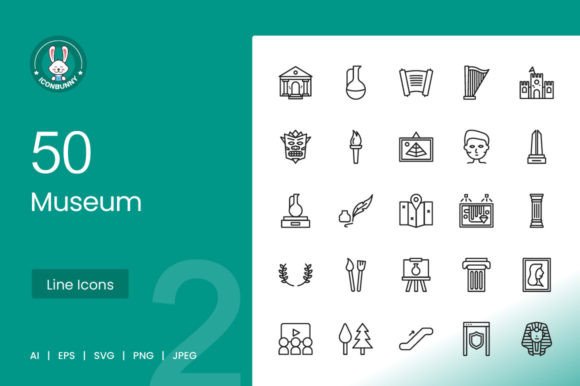
Visual communication plays a critical role in how we convey information, especially in digital and print environments. Whether you're building a mobile app, designing a presentation, or crafting a museum guide, the right icons can make a significant difference. The 50 Museum Line Icons set, along with its companion collection, offers a versatile and scalable solution for professionals across industries.
These icons are more than just aesthetic elements—they’re tools that help simplify navigation, enhance visual storytelling, and support a cohesive design language. With 100 vector icons in total, each one is crafted using a unigrid system for consistency and clarity. They're available in five formats—AI, EPS, JPG, PNG, and SVG—ensuring compatibility across platforms and devices.
Designed for Real-World Use
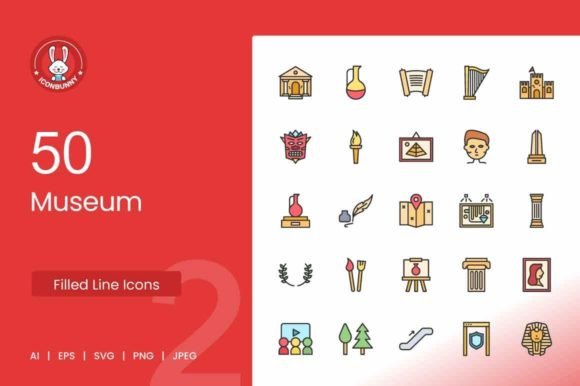
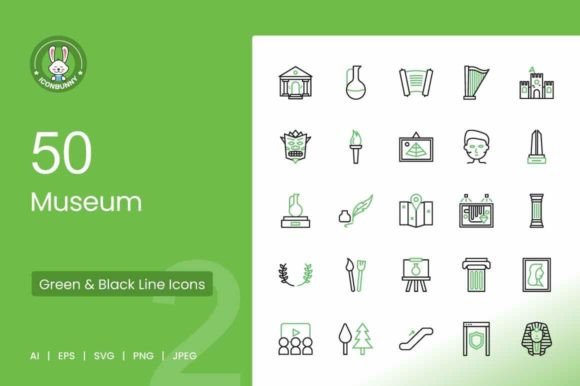
One of the standout features of the 50 Museum Line Icons is their adaptability. From Museum Building I to Art Museum Guide, each icon is built for maximum usability. This makes them ideal for a wide range of applications, including mobile apps, websites, print materials, presentations, and illustration templates.
For example, a museum curator developing a new app might use the Tickets icon for event booking and the Security Check icon to guide visitors through entry procedures. A teacher creating a history lesson could use the Ancient Book Exhibit or Dinosaur icons to visually reinforce learning points. The ability to scale and edit these icons without loss of quality means they remain effective at any size or context.
Time-Saving and Customizable
Designers and developers often face tight deadlines. Having access to pre-made, high-quality icons can significantly reduce production time. Each icon in the 50 Museum Line Icons set is vector-based, meaning you can resize, recolor, or modify them without pixelation or distortion. This flexibility supports creativity without compromising efficiency.
Consider a freelance web designer working on a heritage tourism site. Instead of creating icons from scratch, they can integrate ready-to-use visuals like Castle with Flag, Pillar, or Egyptian God to instantly establish a thematic identity. This not only speeds up the design process but also ensures a professional outcome.
Supporting Clear Communication
Icons are a universal language. In environments where users may speak different languages—such as museums, educational platforms, or international events—visual cues help bridge communication gaps. The 50 Museum Line Icons include symbols like Evacuation Plan, CCTV Camera, and Escalator, which are essential for wayfinding and safety signage.
Event coordinators, museum staff, and app developers can use these icons to create intuitive interfaces and signage systems. The Walkie Talkie icon might be used in staff communication tools, while the Human Face could represent visitor profiles in a digital tour app. These visual elements help users understand functionality at a glance.
Who Benefits Most?
Professionals who work across digital and print media will find the most value in this icon set. This includes:
- Web and mobile app designers
- Graphic designers working on print or presentation materials
- Educators and content creators
- Small business owners and marketers
- Museum staff and cultural institutions
- Freelancers and independent creators
Each of these groups has unique design needs, but all benefit from icons that are scalable, consistent, and ready to use. For instance, a blogger covering art history might use the Hanging Painting or Brushes icons to visually categorize posts. A museum guide app developer could integrate the Painting Exhibit or Video Screening icons to help users navigate exhibits.
Realistic Considerations
While the 50 Museum Line Icons offer a comprehensive toolkit, it's important to consider whether they align with your specific project needs. These icons are ideal for cultural, educational, and informational contexts. However, if your project requires highly stylized or abstract visuals, you may need to supplement these icons with custom designs.
Also, while the set includes 100 icons, users with niche or highly specialized needs may find gaps. For example, a military history museum might need more specific vehicle icons beyond the Tank Exhibit or Jet Exhibit included here. In such cases, comparing this set with other icon libraries could help ensure a better fit.
Maximizing Impact Across Platforms
The availability of multiple file formats—AI, EPS, JPG, PNG, and SVG—ensures that these icons can be used across a variety of platforms. SVG files are particularly valuable for responsive web design, as they scale seamlessly on any screen size. PNG and JPG formats work well for print and digital publishing, while AI and EPS files are ideal for in-depth editing in vector design software.
For instance, a marketing team designing a museum campaign can use the Museum Torch icon in both a social media graphic (PNG) and a website header (SVG), maintaining visual consistency across channels. The Crown Exhibit or Jewel Exhibit icons could be used in print brochures and digital ads alike, reinforcing brand identity.
Final Thoughts
The 50 Museum Line Icons provide a practical, efficient, and visually consistent solution for a wide range of design challenges. Whether you're building an app, creating educational materials, or enhancing a website, these icons help you communicate more clearly and professionally. Their adaptability across formats and platforms makes them a smart investment for anyone involved in visual storytelling or interface design.
By integrating these icons into your projects, you not only save time but also elevate the quality of your work. When chosen thoughtfully and used effectively, icons like Antique Jar, Bones Exhibit, or Leaves Wreath can become powerful tools in your design toolkit—supporting clarity, engagement, and user experience in meaningful ways.