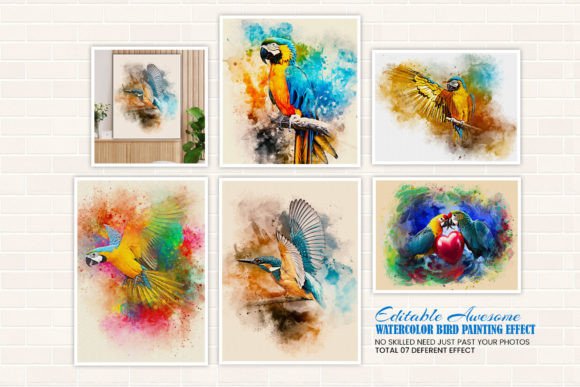
Transform Photos with Watercolor Bird Painting Effect
Creating beautiful watercolor bird paintings has never been easier. With the Watercolor Bird Painting Effect, anyone can turn a simple photo into a striking digital watercolor masterpiece in just one click. This powerful Photoshop template is designed for both beginners and professionals, offering a seamless way to explore artistic expression without needing advanced design skills.
What Makes the Watercolor Bird Painting Effect Unique?
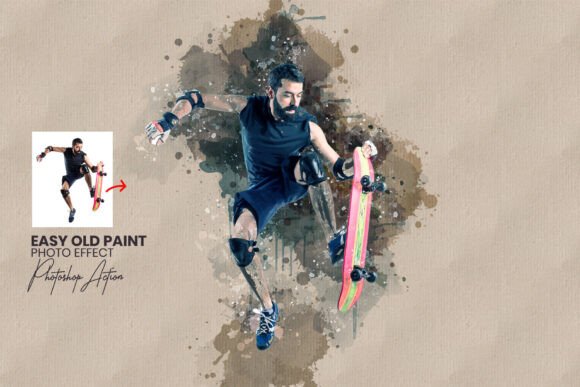
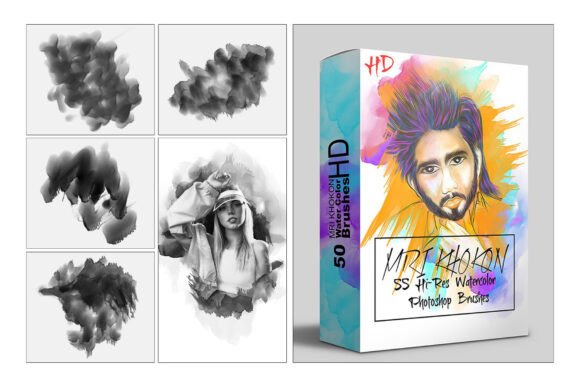
At its core, the Watercolor Bird Painting Effect is a smart Photoshop template that mimics the soft, flowing textures of traditional watercolor painting. It’s especially tailored for bird imagery, allowing users to generate painterly interpretations of avian subjects with realistic brush strokes, paper textures, and color blending.
Unlike generic filters, this effect gives you full control over the final look. You can adjust colors, brush styles, and background textures to create a personalized piece of digital art. Whether you're aiming for a delicate, muted tone or a bold, expressive style, the tool adapts to your vision.
Creative Possibilities for Artists and Designers
One of the most exciting aspects of this tool is its versatility. Here are a few creative directions you can take:
- Avian Portraits: Turn bird photographs into expressive portraits that highlight the intricate details of feathers and eyes.
- Illustrative Storytelling: Use the effect to create a series of stylized bird illustrations for children’s books, greeting cards, or blog visuals.
- Wall Art & Prints: Generate high-quality digital prints that can be sold online or used to decorate personal or commercial spaces.
- Brand Identity: Designers can incorporate these effects into logos, packaging, or marketing materials for nature-themed brands.
Because every layer is editable, you can fine-tune shadows, highlights, and textures to match your project’s tone. This level of customization makes it ideal for both personal and professional use.
How to Use the Watercolor Bird Painting Effect
The process is remarkably simple:
- Open the included PSD file in Adobe Photoshop.
- Replace the placeholder image with your bird photo using the Smart Object feature.
- Choose from a variety of pre-set watercolor styles and brush options.
- Adjust colors, textures, and effects to match your aesthetic.
Even if you’re new to Photoshop, the included help file guides you through each step. No design experience required—just a photo and a creative idea.
Who Can Benefit from This Tool?
The Watercolor Bird Painting Effect is a valuable resource for a wide range of users:
- Photographers: Add a painterly twist to your portfolio with minimal effort.
- Graphic Designers: Quickly generate high-quality artwork for client projects or branding materials.
- Bloggers & Content Creators: Enhance your visual storytelling with unique, eye-catching images.
- Artists & Hobbyists: Explore digital painting without the learning curve of traditional software.
- Small Business Owners: Create custom prints, packaging, or social media visuals that stand out.
Whether you're building a portfolio, launching a product line, or simply experimenting with digital art, this tool offers a fast, flexible way to bring your ideas to life.
Applications Across Platforms and Formats
This effect works well across multiple formats and platforms. Here are a few practical uses:
- Social Media: Create visually engaging posts with a soft, artistic feel for Instagram, Pinterest, or Facebook.
- E-commerce: Offer digital downloads of watercolor-style bird art or use them to enhance product listings.
- Print-on-Demand: Upload your results to platforms like Etsy, Redbubble, or Society6 to sell as prints, mugs, or apparel.
- Editorial Design: Use the effect to illustrate nature-related articles, newsletters, or educational materials.
Because the templates are fully editable, you can resize and adapt your artwork for different uses without losing quality.
Getting the Most from Your Watercolor Bird Painting Effect
While the tool is user-friendly, a few best practices can help you achieve polished results:
- Use high-resolution images: Start with a sharp, well-lit photo for the clearest transformation.
- Experiment with color: Try different color palettes using the color changer option to find the mood that best suits your image.
- Layer textures: Mix and match paper textures to add depth and realism to your painting.
- Keep it consistent: If you're creating a series, use similar brush styles and textures to maintain a cohesive look.
Remember, the goal is to enhance your original photo, not overshadow it. Subtle adjustments often yield the most compelling results.
Final Thoughts: Unlock Your Creative Potential
The Watercolor Bird Painting Effect is more than just a Photoshop template—it's a creative gateway. Whether you're a seasoned designer or someone just starting out, this tool gives you the power to transform photos into expressive digital art with minimal effort.
By combining the beauty of watercolor with the flexibility of digital editing, you can explore new artistic directions, elevate your visual content, and connect with your audience in a more meaningful way. So why not give it a try? With just one click, you could be on your way to creating something truly beautiful.